
Frequently Asked Questions
Find answers to common questions on this page.
How can I subscribe to and download the data via email?
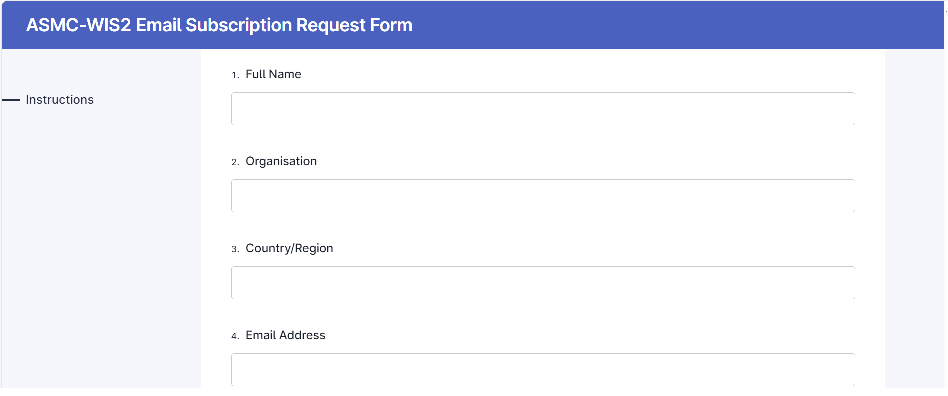
Complete the subscription form:
Enter your details, ensuring your email address is correct.
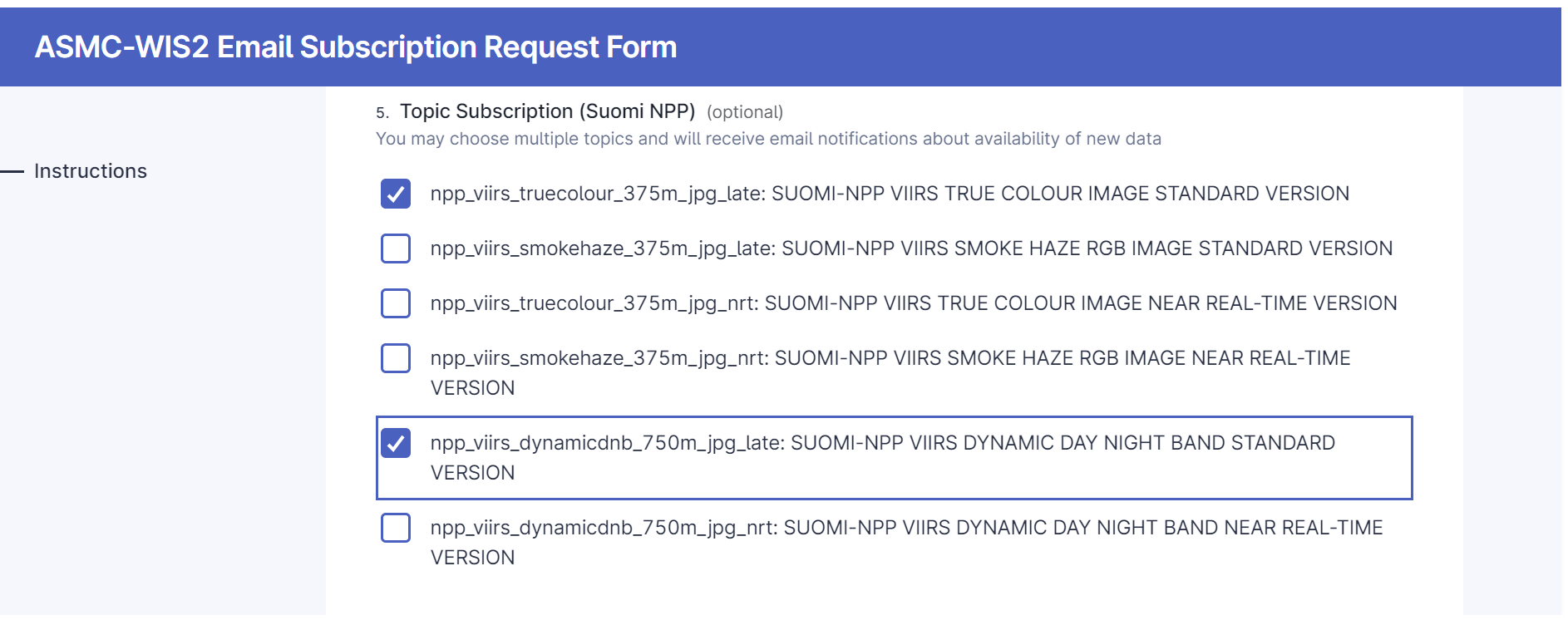
Select your desired topics for subscription and submit the form.
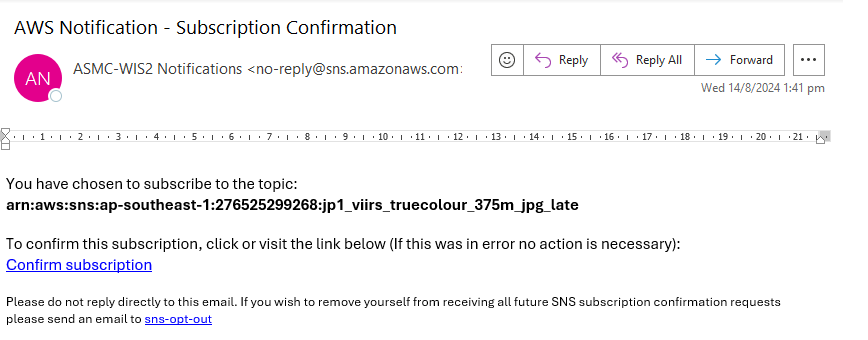
Check your inbox for an email from Amazon Web Services. Click "Confirm Subscription" in the email to finalise your subscription.
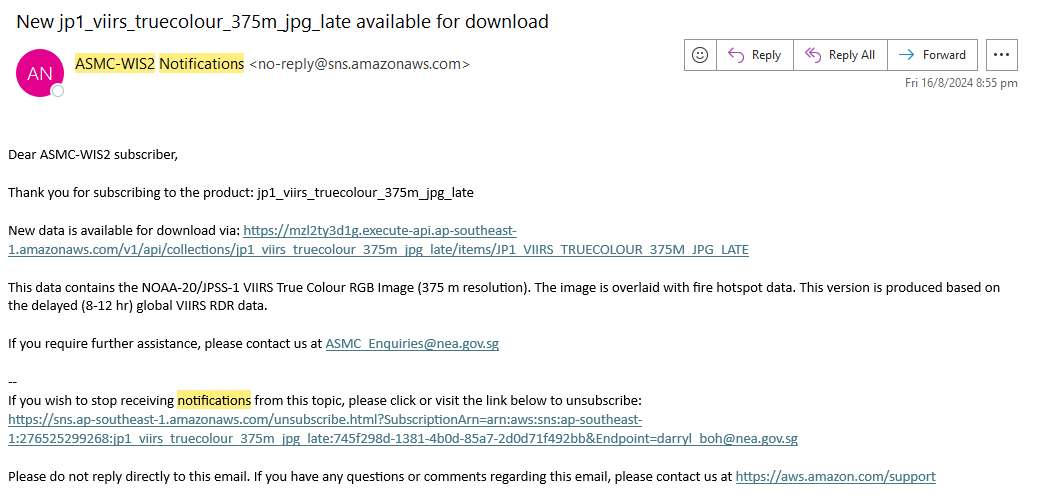
You'll now receive email notifications when new data is available for your chosen topics.
How can I subscribe to and download the data via MQTT Client?
In order to download WIS 2.0 data, you will require an MQTT client. MQTT explorer is one example of a free and readily available MQTT client which can be downloaded from the MQTT Explorer website: https://mqtt-explorer.com/
Open MQTT Explorer and add a new connection to one of the Global Brokers. As an example, we will connect to the Global Broker hosted by MeteoFrance using the following details:
host: globalbroker.meteo.fr
port: 8883
username: everyone
password: everyone
Turn off Validate Certificate
Turn on Encryption
Click on the 'ADVANCED' button, remove the pre-configured topics and add the following topics to subscribe to:
origin/a/wis2/sg-mss-asmc/#
origin/#
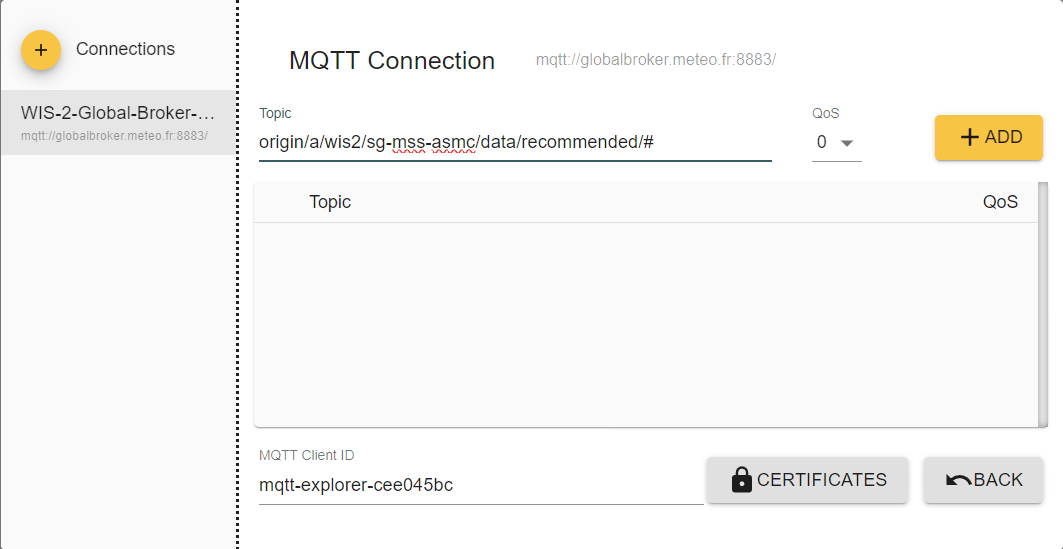
Click 'BACK', then 'SAVE' to save your connection and subscription details. Then click 'CONNECT'. Messages will start appearing in your MQTT Explorer as soon as new notification messages are available.
How can I subscribe to and download the data via Python?
Install the required software. You will need Python 3.8 or a newer version installed on your computer. Once Python is ready, open your terminal or command prompt. and run the command python -m pip install "paho-mqtt>=2.0,<3.0" to install the necessary connection library.
Click here to view and copy the Python script
Run the script. Open your terminal or command prompt, navigate to the folder where you saved the script, and execute it. The script will connect automatically, and your data files will start saving, organized by date and product type.